
WhatsApp for Short-Term Rentals: Best Practices
Best practices we see working, in four parts: travelers, the phone number, teams, and security.
WhatsApp for Property Management: Best Practices
WhatsApp has become the primary work tool for almost all short-term rental (STR) companies. Guests ask their questions there, teams exchange messages all day long, and owners wait for news. It is also where everything gets lost, where managers never disconnect, and where scams happen. Here are the best practices we see working, in four parts: guests, the phone number, teams, and security.
By Laurent Dumoulin · Reading time: 9 minutes
1. With Guests: Asking for Consent at the Right Time
Booking platforms are sharing guest contact details less and less. Since September 28, Booking.com no longer communicates phone numbers to management software and channel managers. And starting November 20, Airbnb is also regulating what a host can ask of their guests. This is their rule, and it applies to everyone.
Nothing, however, prevents the traveler from providing their number themselves. The difference lies in how you ask for it. You don't demand a number: you offer to exchange on WhatsApp and tell the traveler why. Access details, arrival time, parking, or any questions during the stay. Presented this way, the vast majority willingly accept. For our clients, since implementing an arrival form in the guest welcome book, over 95% of guests provide their number.
A few benchmarks help:
Ask once, a few days before arrival. This is when the guest is organising their stay and when the exchange is useful to them. One request, possibly a reminder, and then move to another channel.
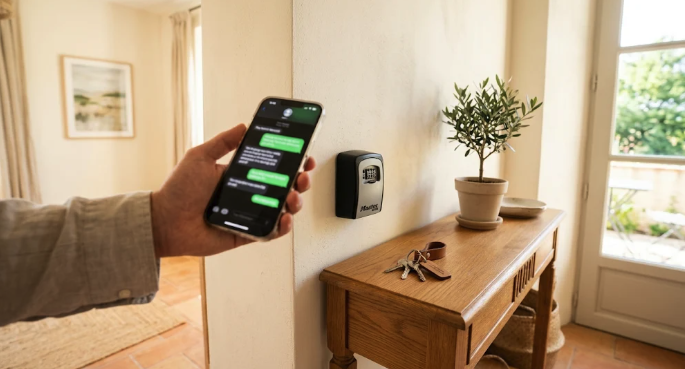
Use WhatsApp for what it does better than email. A photo of the gate with the code, a short video of the boiler, the exact location of the key box. These are the messages that prevent calls at 11 PM.
Keep it short. Guests rarely read long-winded messages. One message, one piece of information, and the rest goes in the welcome book.
Keep another channel for those who prefer it. A small portion of guests doesn't use it or doesn't want to. Email or the platform's internal messaging remains a good fallback, with the same information.
The argument often heard about guests from countries where WhatsApp is supposedly rarely used rarely holds up: when they travel, most have it. And regardless of the channel, what prevents the most questions remains a good welcome book that provides answers before they even need to ask.
Key takeaway. The traveler chooses their channel. The property manager's job is to ensure the same information arrives, whichever channel they choose.
2. The Agency's Number is an Asset
In many STR companies, everything still goes through personal numbers: the manager's, or those of the front desk staff. It works at first. Then several problems appear at once.
The first is that you never disconnect. As long as guests and service providers have your personal number, they have no reason to write elsewhere, and a message at 2 AM will show up on your phone. The second is what gets lost when someone leaves: conversation history, contacts, and relationships with returning guests. The third is continuity: when the person on call changes, guests still write to the same number.
A number in the name of the agency solves all three. It belongs to the company, multiple people can respond to it, and it keeps a record of exchanges. Two things to know before starting:
The WhatsApp Business app and the official platform don't do the same thing. The app is suitable for starting out, with a limited number of connected devices. As soon as you need several people on the same number, automated messages, or high volume, you must switch to the official WhatsApp platform via an authorised provider.
A number has a reputation. WhatsApp monitors reports and blocks from recipients. Messages sent without consent, links that the traveler perceives as a scam (like a poorly presented security deposit link), or serial group creation can lead to a number being restricted or even blocked. On the official platform, messages initiated by the agency outside of an ongoing conversation must use pre-validated templates.
It's also the right time to set your rules if you haven't already. Who receives what, who responds and who is informed, what waits until morning and what deserves an immediate response at night, and the response time promised to the traveler. One page is enough. These rules already exist in the manager's head; writing them down is what allows you to entrust the number to someone else.
Key takeaway. The company's number must be protected like an asset: it carries the relationship with travelers, and it can be lost.
3. With Teams: When Groups Overflow
WhatsApp groups are the heart of the organisation. That's where everything is said, exchanged, and also lost. One group per property, a cleaning group, a maintenance group: everything goes there, and the day you need something, that's where it is. The problem is exactly that: everything is there. Once you pass ten properties, the same difficulties appear:
Urgent requests are forgotten, arriving between two cleaning photos.
Tasks cannot be tracked. Who took it, is it done: no one knows without asking.
Photos are impossible to find—thirty per cleaning per property, lost three weeks later the day a guest disputes the condition of the home.
Teams talking to each other manually. The cleaner writes to the manager, the manager writes to maintenance, maintenance replies to the manager, who then informs the cleaner.
Add to this teams that don't all speak the same language, and people receiving messages that don't concern them, and you can see why groups become difficult to structure.
The solution is not to take teams out of WhatsApp. They are already there, they don't want to log into another interface, and that's often why new tools fail. What helps is structuring what goes through it:
One task, one person, one status. A sign to say "I've got it," another to say "it's done." Simple and understood by everyone.
Photos linked to the property and the reservation, timestamped, rather than drowned in a thread.
Each team only receives what concerns them. Cleaning doesn't need to see exchanges about the boiler; maintenance doesn't need to see checkout times.
A relay between teams that leaves a trail. Damage seen by cleaning reaches maintenance with a photo; once the repair is done, the manager knows without anyone having to pass the message along manually.
Key takeaway. Teams stay in WhatsApp. What changes is that information passes from one team to another with a traceable record.
4. Security: Fake Payment Messages
Since the summer, several STR companies have seen their guests receive fake WhatsApp messages. The pattern is always the same: a message that knows the stay dates and the property, demanding a payment, often the day before arrival, sometimes for more than a thousand euros. The profile picture looks official, and the account is sometimes even verified. A verified profile means a company exists behind it, not that it's the right company.
What's striking is that these messages contain real information. The first thing to do is to find where the leak is coming from. If all targeted guests come from the same booking channel, it's likely there. If they come from different channels, look at tools that share the phone number: management software, channel managers, or shared files. Without this sorting, you don't know what to shut down.
Three habits reduce the risk:
Announce your channel upon confirmation. The traveler knows where messages will come from and that no payment will be requested via a link or from another number. One sentence is enough: "We will never ask you for payment via a link or another number. If in doubt, write to us here."
Get yourself saved as a contact. A saved number appears with the name chosen by the traveler; an unknown number, even verified, appears as is. The difference is noticeable.
Limit what circulates. Traveler numbers and access codes have no business being in a team group or a shared file. Fewer copies mean fewer leaks.
When a traveler reports a suspicious message, three checks are enough: the exact number and profile picture (not just the name and checkmark); the link, if any, whose domain must be that of the agency or the platform; and the request itself, as a payment demanded for a stay already paid for makes no sense. Then, warn upcoming guests through the official channel, report the number to WhatsApp from the conversation, and escalate the incident to the relevant platform.
Key takeaway. WhatsApp is not the problem. What protects you is account security, reservation data protection, and an informed traveler.
Where to Start
Taken together, the four parts provide a short to-do list before the next season.
Write down your rules: who receives what, who responds, what waits until morning, the promised response time.
Switch to a number in the agency's name, and ensure it's used in compliance with WhatsApp rules.
Review the confirmation message: the offer to exchange on WhatsApp, the right timing, and the sentence about payments.
Clean up team groups: who receives what, how to pick up a task, how to mark it as done, and where photos go.
Remove traveler numbers and access codes from groups and shared files.
None of these steps require a tool. However, they make any tool much simpler to implement.
And in smartiz? smartiz relies on the official WhatsApp platform. Guests receive their messages at the right time and fill out their arrival form from the welcome book; teams stay in their WhatsApp, pick up and validate tasks, and photos are linked to the property and reservation. For our clients, 95% of messages and tasks are handled without human intervention, requiring less than 10 minutes of work per stay.